Usage and engagement
Track your team's weekly activity in GenAI Security Lab separately from their skill coverage.
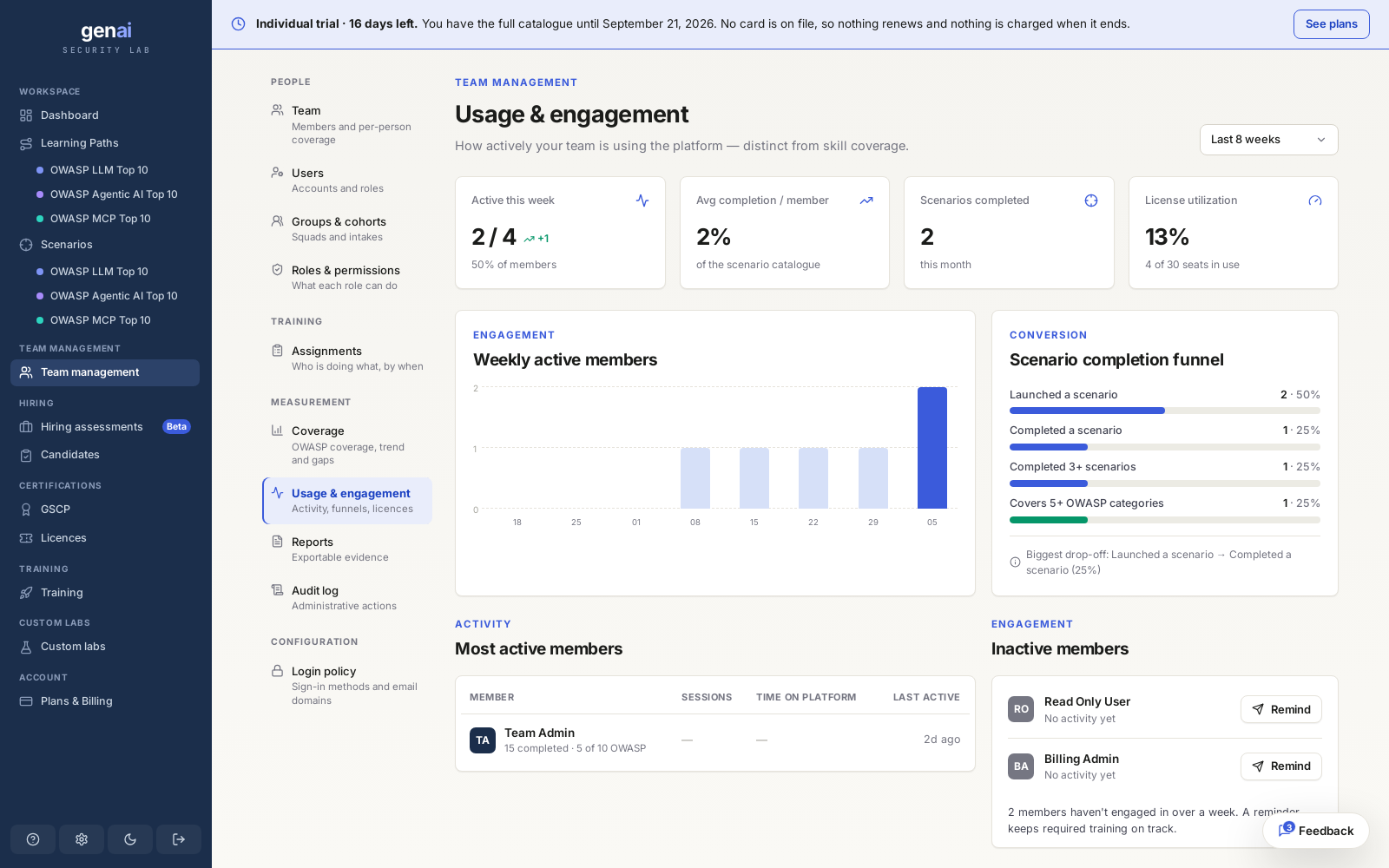
What it measures
Usage and engagement measures your team's activity separately from their skill. An engaged member may have limited coverage, while an inactive member may retain a strong score from work completed last month.
Engagement and coverage call for different responses. Low engagement is a habit problem: people aren't opening the platform. Low coverage is a curriculum problem: people are active but haven't covered the categories that matter. This page addresses engagement. For coverage, see coverage and reporting.
Not a coverage viewNothing on this page is graded against OWASP categories. It measures activity only.
The numbers at a glance
Four tiles summarize the week:
| Tile | What it shows |
|---|---|
| Active this week | Members who signed in and took an action, out of your total: X of Y members. |
| Avg completion per member | How much of an assigned path the average member has completed. |
| Scenarios completed this month | Total labs completed across the team this calendar month. |
| License utilization | Seats in use out of your total, using the same seat count as inviting members. |
These figures work together. A high scenario count with low license utilization means a small group is doing most of the work. A high active-this-week figure with low avg completion means people log in but complete little.
Engagement and the funnel
The engagement trend charts weekly active members over time. A time-range filter helps you check whether a dip follows a specific week, such as a holiday or release crunch, or a reorg.
Below it, a scenario completion funnel tracks attempts through four stages: launched a scenario, completed it, completed three or more, and covered five or more OWASP categories. It automatically identifies the biggest drop-off, showing where people stop without requiring you to compare the four bars.
Read the drop-off, not just the shapeA drop-off between "launched" and "completed" points to friction in the lab. A later drop-off at "3+ scenarios" points to a habit problem: people try it once and don't return.
Nudging inactive members
Below the funnel, two lists show your most-active members and those who haven't engaged recently. Both lists reflect activity only and are ungraded. Someone on the inactive list may have strong coverage from earlier in the quarter.
The one-click "Remind" action emails anyone on the inactive list directly, saving you from contacting each person individually. When a reminder isn't enough, pair it with an assignment and a due date.