Coverage and reporting
Review your team's OWASP coverage, including gaps, and export the evidence.
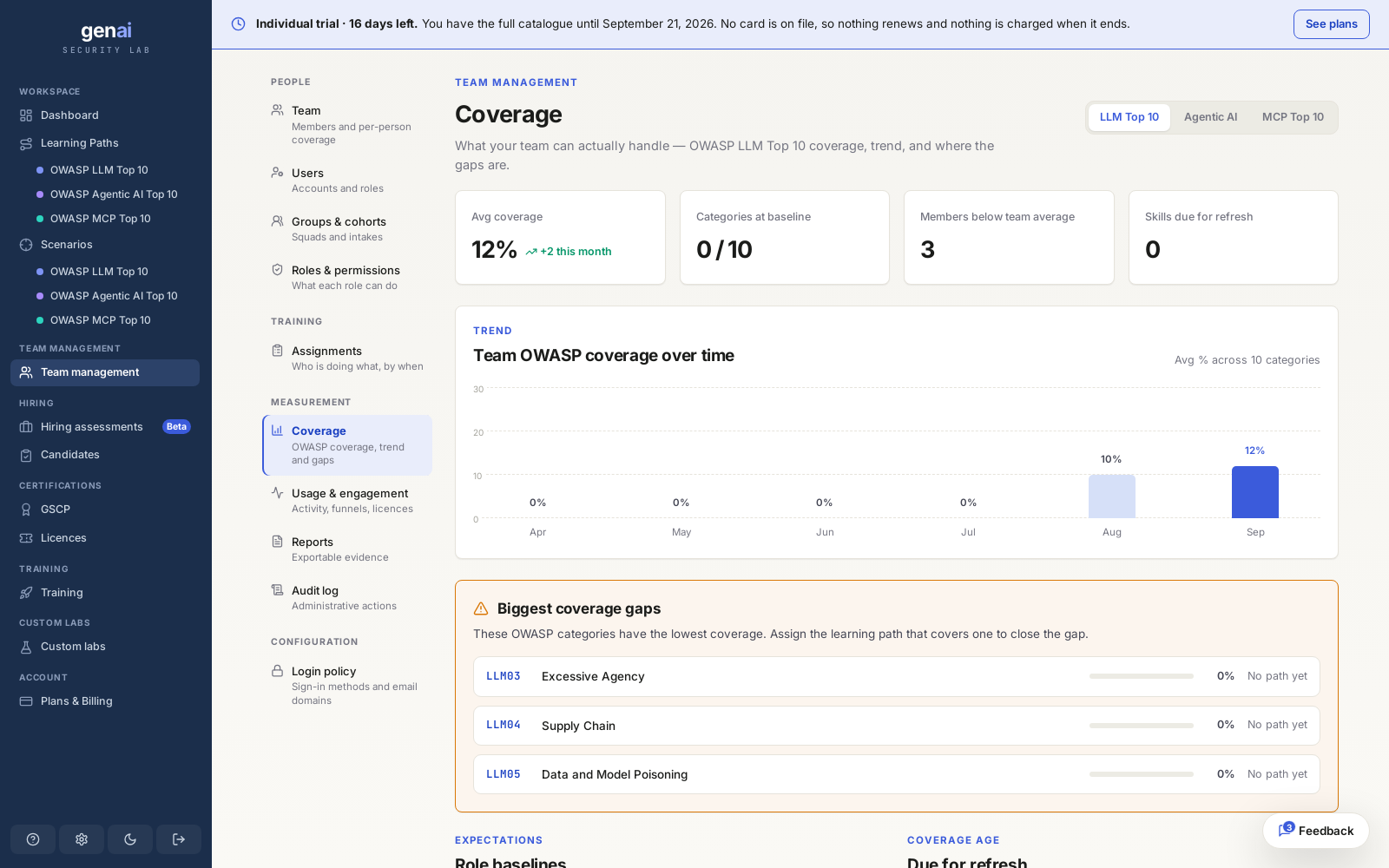
The coverage view
Coverage maps your team's results against the OWASP LLM Top 10 (2026), plus the MCP and agentic categories, one framework at a time. Switching frameworks shows the same team's coverage against a different set of categories.
View coverage for the whole team, or narrow it to one group, one cohort, or a single member. The categories and bands stay the same. Team Admins and Auditors can open the full view; a regular member sees only their own progress.
Reading the numbers
A coverage score is based on result bands. Attempts alone do not count towards coverage, and the three bands carry different weight.
| Band | What it does to coverage |
|---|---|
| objective met | Counts the category as covered |
| partial | Adds coverage credit, but leaves the category open |
| not met | No credit; the gap stays open |
See how grading works for what earns each band. A category nobody has attempted recently can become due for refresh, even if it was fully covered before. Coverage can therefore change over time.
Find the gaps
The categories with the lowest coverage are your gaps: those nobody, or almost nobody, has passed. A gap can mean nobody has tried, or that everyone who tried received a partial or a not met. These categories help you decide what to assign next.
Close the loopAssign the learning path for a gap category directly from the coverage view, without finding it separately in assignments.
Exports and the evidence trail
Export a coverage report as a PDF for a leadership review, or as a CSV for your own tooling. Both can be scoped to one framework, whether OWASP LLM, MCP, or agentic, to give an auditor the evidence they need without including your team's whole history.
Coverage reports are a snapshot of what your team can do now. For the chronological record of who did what and when, including every invite, assignment, and role change, see the audit log. It provides the compliance trail.