Audit log
What your team's audit log records, how to search it, and how it differs from coverage reporting.
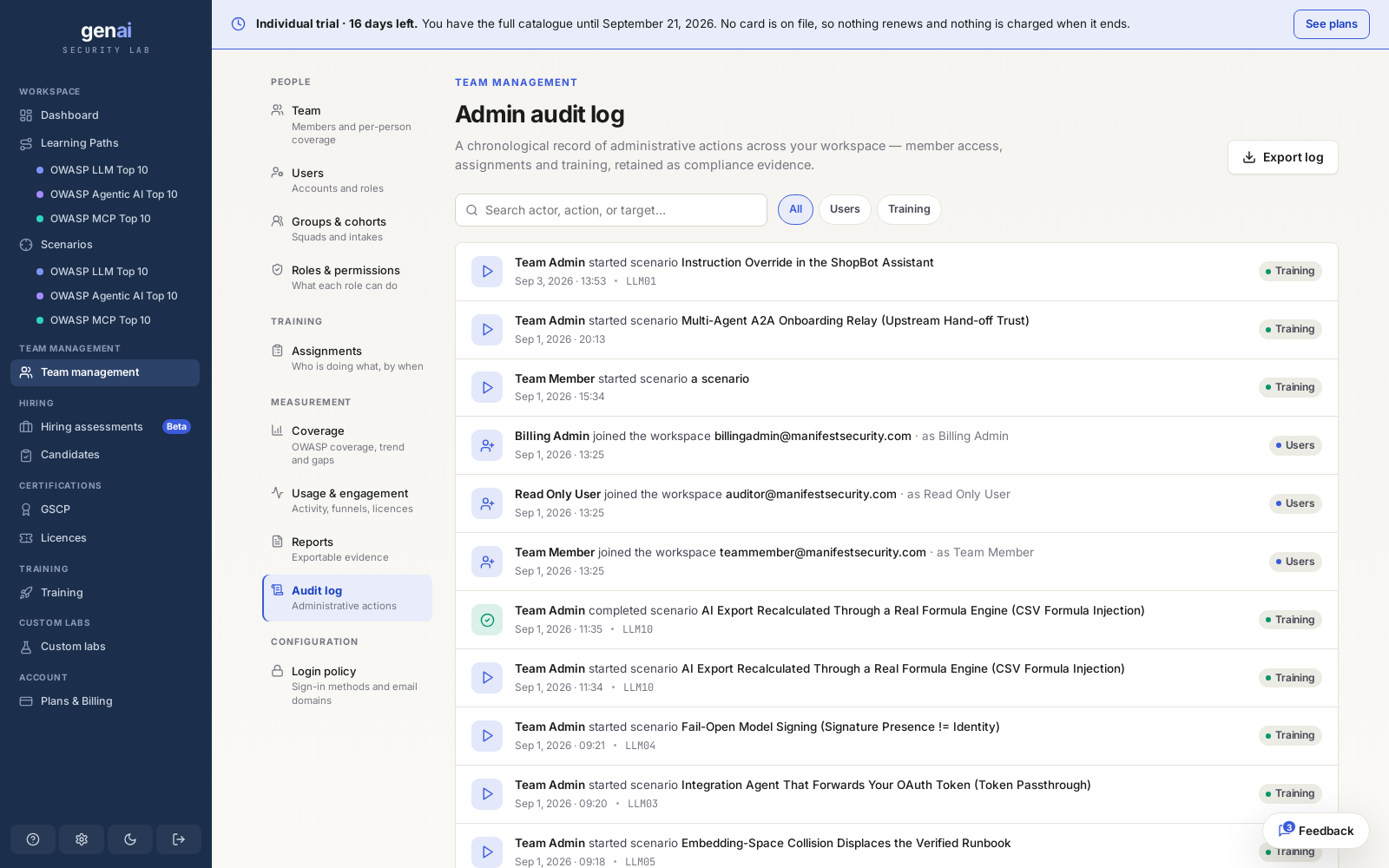
What's recorded
Each audit log entry records one action: who did it, what they did, what it affected, and when, using an absolute timestamp rather than a relative one. Where applicable, entries include a monospace reference that links the row to the specific assignment or scenario.
The log groups activity into Users, Access, Security, Billing, Data, Assignments, and Training. You can scan by category for activity such as members joining your workspace, assignments being created, or learners starting or completing labs. Login policy changes and seat or licence changes appear under Access, Security, and Billing as they occur in your workspace.
Read-only, on purposeEntries can't be edited or deleted from the log itself, preserving the record of what happened.
Filter and search
A single search box searches actor, action, and target together. A person's name or a lab title narrows the list through the same search. Category pills appear above it, showing only categories with activity in your workspace.
Entries always sort newest first. The log has no separate date-range picker. To view a specific period, export the log and filter the spreadsheet. The export includes every column shown in the on-screen row.
Retention and export
Entries accumulate for the life of your workspace, with no fixed retention window that removes old rows. Export produces a CSV of the entries currently visible. Search or filter by category before exporting to include only those results.
// audit log export column order
Timestamp, Category, Actor, Action, Target, Role, Reference
Audit log vs coverage reporting
The audit log and coverage reporting show different views of the same underlying activity. The audit log provides a compliance trail of who did what and when, with one row per action, exported as CSV. Coverage reporting shows learning progress across the OWASP Top 10 for your roster. It exports a formatted PDF, either overall or for one framework, plus a CSV of the underlying numbers.
The audit log can confirm whether an action happened and who performed it. Coverage reporting can help assess your roster's OWASP coverage.