Login policy
This page covers team sign-in, disabling password sign-in for everyone, and removing members.
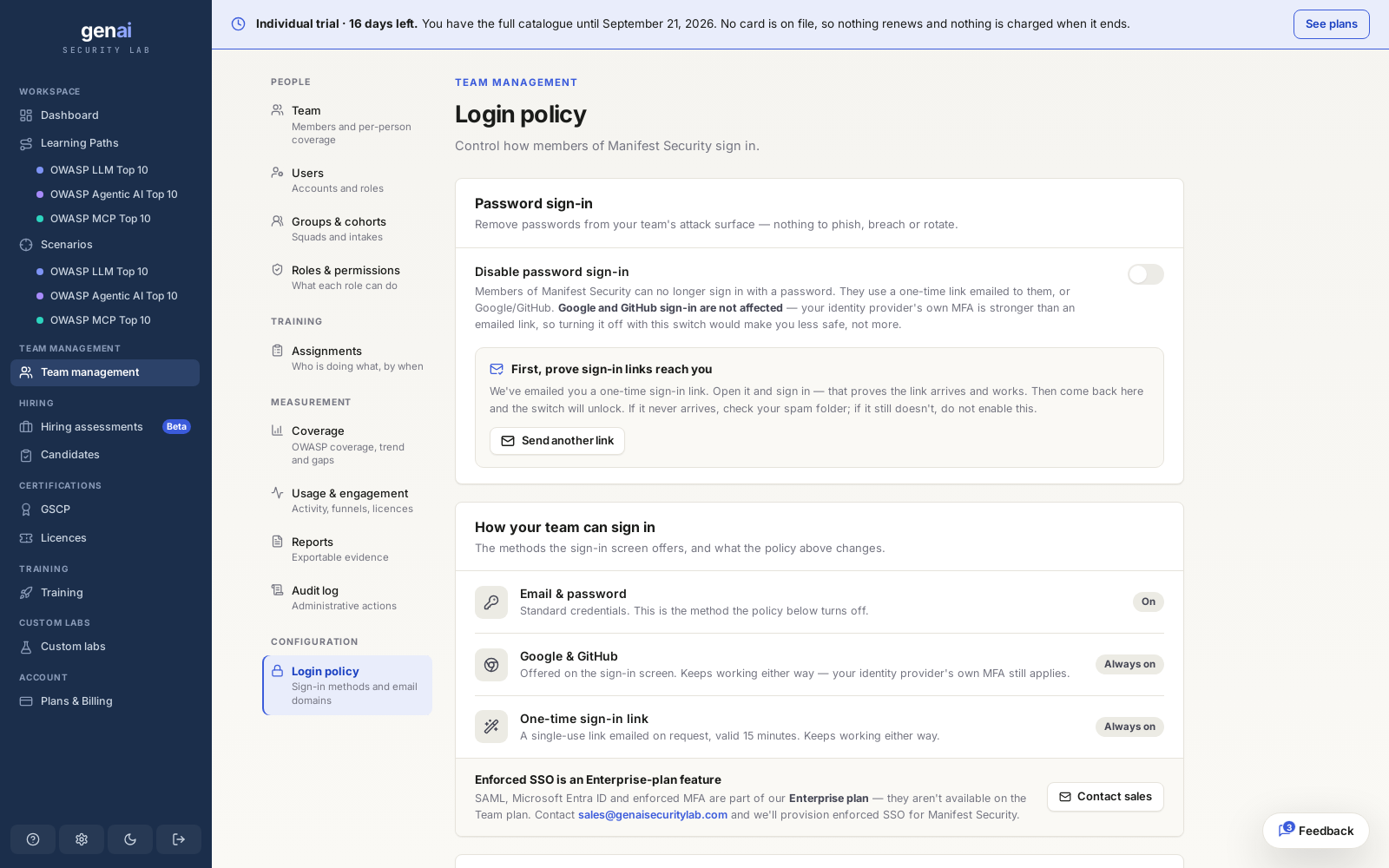
Sign-in methods
Members sign in with email and password, or through Google or GitHub. Google and GitHub use the provider's own login and MFA, making them the stronger option by default.
Team plans let an admin configure a login policy to disable password sign-in for the workspace and restrict invitations to specific email domains. Enterprise plans add full SSO/SCIM with your own identity provider. See pricing for what's included at each tier.
| Sign-in method | Available by default | When password sign-in is disabled |
|---|---|---|
| Email and password | Yes | Refused |
| Google / GitHub | Yes | The only way to sign in |
Enforcing the policy
A team admin can disable password sign-in in the workspace's login policy settings. Once the policy is on, members can only sign in with Google or GitHub. Members whose work email is not a Google or GitHub account cannot sign in. Only an admin who has already signed in with Google or GitHub can enable the policy, preventing them from locking themselves out. The page shows how many members have previously signed in that way, alongside the total member count.
Check the member count firstAnyone who has never signed in with Google or GitHub is locked out when you enable the policy. Ask them to sign in that way once, with their work email, before disabling password sign-in.
The policy applies to everyone, including the workspace owner. Turning it off requires no prior sign-in check and takes effect immediately, because restoring password sign-in cannot lock anyone out. When a member next tries to sign in with a password, they see a refusal directing them to Google or GitHub.
Removing a member
Removing a member immediately deactivates their membership and removes their access to the workspace's assignments and shared coverage. If they held a seat, it becomes available for the next invite at the same time.
The deactivated membership is retained. Past evidence submissions and audit entries remain tied to the member's name. Inviting the same address again reactivates the same membership with its history intact. See inviting members for invitation details. The workspace owner can't be removed.
Sessions and recovery
Enabling the policy applies to every new sign-in immediately. Members who signed in with a password are signed out within a day. Members who signed in with Google or GitHub stay signed in. Turning the policy off doesn't sign anyone out.
While the policy is on, members can still use "forgot password" to set a new password, but they cannot sign in with it. They must sign in with Google or GitHub. If an admin loses access to their Google or GitHub account and nobody else can turn the policy off, our support team can restore password sign-in for the workspace.