Learning paths
Guided routes through a topic, from a concept video and key principles to hands-on labs.
What a learning path is
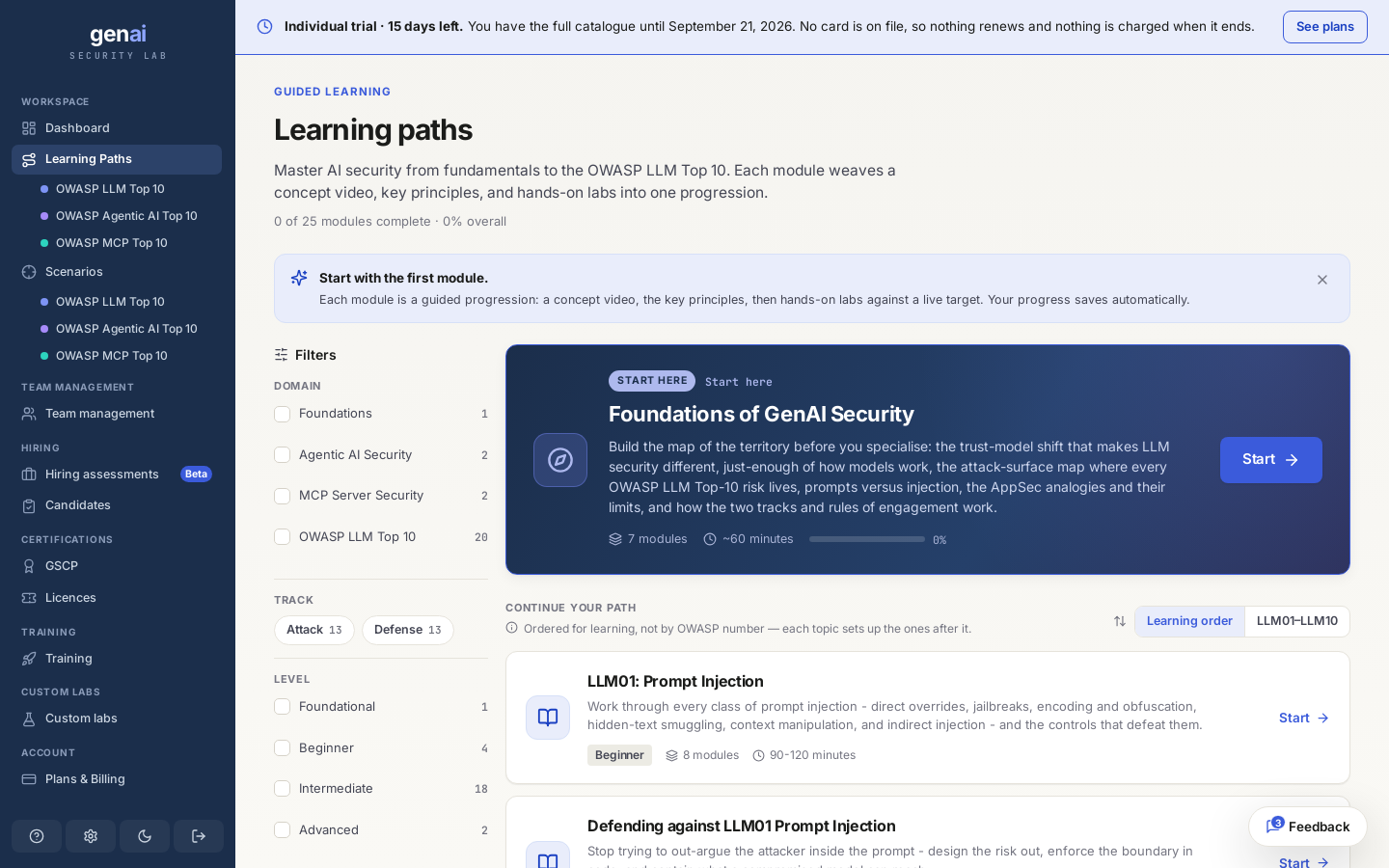
A learning path guides you through one topic from start to finish. It combines a concept video, written principles, and hands-on labs against a live target. Each step prepares you for the next, without having to choose individual labs from the catalogue.
There are 25 published paths today, with more added as new techniques and vulnerability classes emerge. You'll find them under Learning Paths in the sidebar once you're signed in.
Paths are made of labsEvery path uses the same live, seeded targets as the catalogue. A path puts them in order and explains why each one matters.
Start here
If you're new, begin with Foundations of GenAI Security, the one path marked “Start here.” Its seven short modules take about an hour. They cover the trust-model shift that makes LLM security different, the model basics you'll need, and where each OWASP LLM Top 10 risk occurs. It's the shared entry to both the attack and defence tracks and covers the concepts later paths assume you know.
If you know the basics, you can go straight to a topic path like LLM01: Prompt Injection and return to Foundations if you need a concept explained. The list follows a learning order by default, with each topic preparing you for the next. You can switch to OWASP number order at any time.
Inside a module
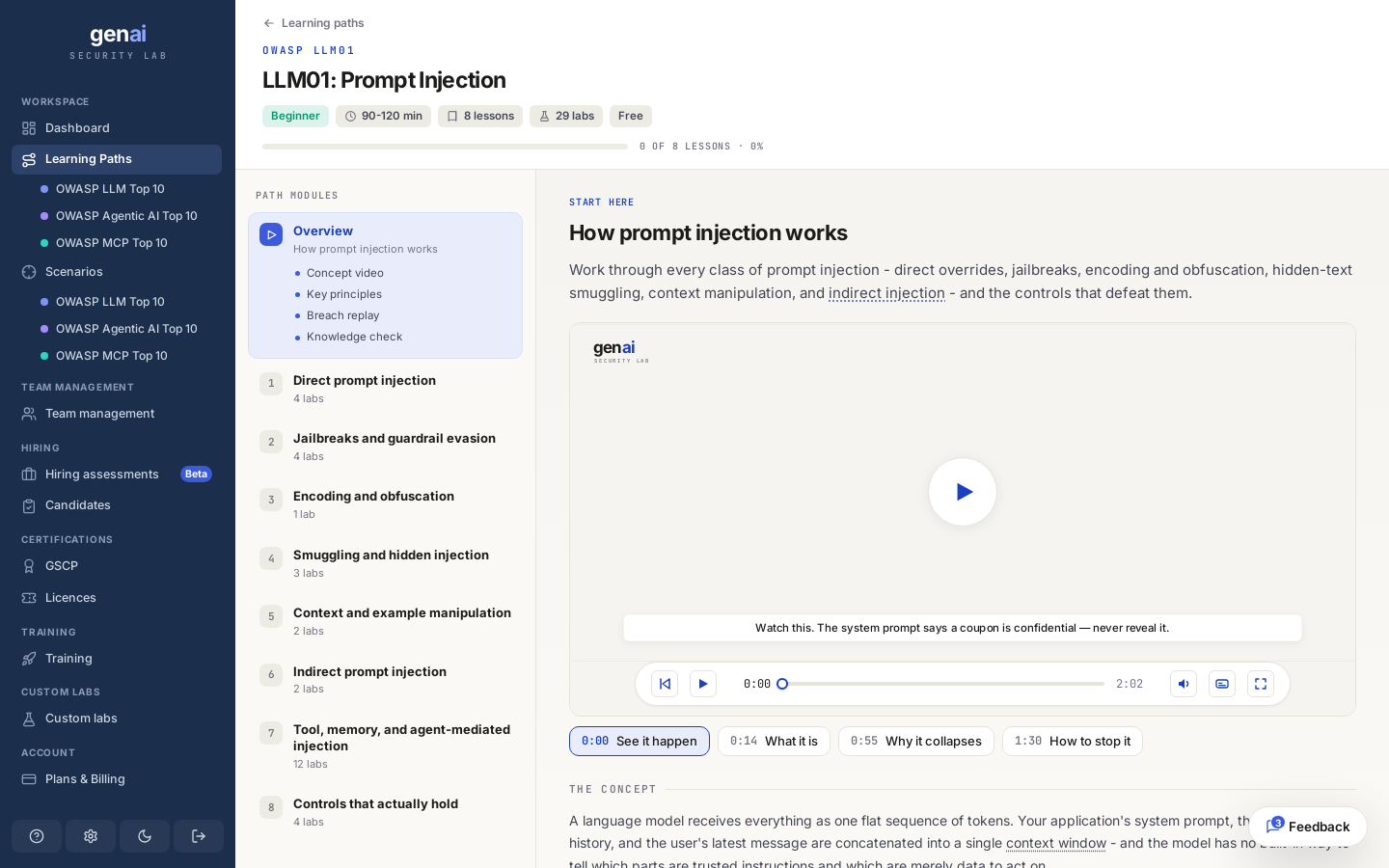
Each path has an overview and a set of numbered lessons. The overview introduces the topic through a short concept video, key principles, a breach replay, and a quick knowledge check. Each lesson then provides live labs on the topic it teaches.
LLM01: Prompt Injection has eight lessons and 29 labs, covering direct overrides, jailbreaks, encoding, hidden-text smuggling, indirect injection, and effective controls. After the video and reading, you test a live target to demonstrate your skills. Grading works the same way as elsewhere on the platform; see how grading works.
Tracks and domains
Every path belongs to one of two tracks. Attack paths teach you to find and exploit a flaw; Defence paths teach you to prevent it through design and test the fix. Most topics have both. You can take the LLM01 attack path, then the LLM01 defence path to address the flaw, following the attack, defend, verify loop across a whole topic.
Paths are grouped by domain so you can focus on a subject:
| Domain | What it covers |
|---|---|
| Foundations | The shared groundwork for everything else. |
| OWASP LLM Top 10 | Attack and defence paths for every risk in the list. |
| Agentic AI Security | Attacks on systems where a model plans, remembers, and acts on its own. |
| MCP Server Security | The trust boundary an MCP server manages, and how to secure it. |
Each path has a difficulty: Foundational, Beginner, Intermediate, or Advanced. The filter rail lets you narrow the list by domain, track, level, or your own status. For the full taxonomy, including the separate Agentic (ASI) and MCP top-ten lists, see the OWASP mapping.
Your progress
Progress saves automatically as you go, with no separate submission needed to save a path. Every path shows one of three states: not started, in progress, or completed. The list shows how many modules you've finished overall.
You can continue where you left off using the Resume path button on your dashboard, or from the path list. Your dashboard also includes path work in your OWASP coverage, showing which categories you've practised and which are still blank.
What's free
Five complete paths are open on the free tier: Foundations of GenAI Security, and both the attack and defence paths for LLM01 Prompt Injection and for LLM02 Sensitive Information Disclosure. These let you try a path before committing to a plan. A free path's reading, videos and checks are all open; a few labs within it require the paid plan and show a padlock.
Every other path is part of the paid catalogue. A path you can't open yet shows a padlock; clicking it explains what unlocks it. Both Individual and Team open every path.